
GDS Photo Resizer 2026: 4:5 Ratio & 5:2 Sign (30 to 100KB)
Official India Post GDS 2026 Tool
📷 Photo (30-100 KB)
✍️ Signature (20-100 KB)
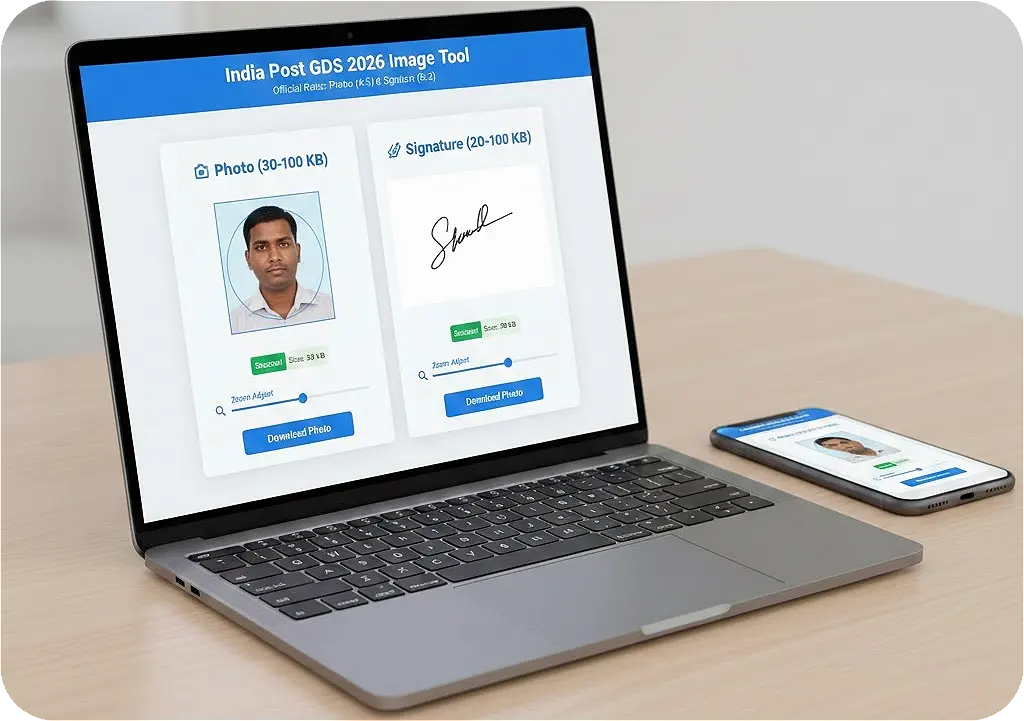
Applying for the India Post GDS (Gramin Dak Sevak) engagement is a significant milestone for many job seekers in India. However, the path to a successful application is often blocked by stringent document upload requirements. If your image is not in the correct format, your application can be rejected instantly. Our professional GDS Photo Resizer is designed to solve this exact problem, ensuring your documents meet the official 2026 standards with 100% accuracy.
In the latest notification for the January 2026 cycle, the Department of Posts has emphasized the quality of digital uploads. This GDS Photo Resizer tool eliminates the need for complex software like Photoshop, allowing you to crop, zoom, and compress your images directly from your mobile or desktop browser.
Common Reasons for GDS Application Rejection
Understanding why applications are rejected is the first step toward success. The GDS online portal uses automated validation scripts to check every upload. Here are the primary reasons for document failure:
- Incorrect Aspect Ratio: Many candidates upload standard 1:1 square photos, but GDS strictly requires a 4:5 ratio for photographs.
- Blurry Signatures: If the signature is not scanned properly or if the file size is too low (below 20KB), it appears pixelated, leading to rejection during document verification (DV).
- Face Coverage Issues: The face must occupy at least 70-80% of the photo. If you upload a full-body shot or a photo where the face is too small, it will not be accepted.
- File Format Mismatch: Only JPG or JPEG formats are allowed. Uploading a PNG or PDF in the photo slot is a common mistake.
Official GDS 2026 Image Guidelines Table
Refer to this table to ensure you are using the correct settings in our GDS Photo Resizer.
| Document Type | Aspect Ratio | Dimensions (Pixels) | File Size (KB) |
|---|---|---|---|
| Passport Photograph | 4:5 (W:H) | 320 x 400 px | 30 KB to 100 KB |
| Signature Scan | 5:2 (W:H) | 300 x 120 px | 20 KB to 100 KB |
How to Use the GDS Photo Resizer Step-by-Step
1. Selection and Upload
Click on the 'Choose File' button. For the photograph, ensure the original image is clear and taken against a light background. For the signature, ensure you have signed on plain white paper with black or blue ink. Avoid using lined paper from notebooks.
2. Precision Adjustment
Once uploaded, the image appears in the GDS Photo Resizer editor. You can drag the image with your mouse or finger. Use the Zoom Slider to zoom in on the face. Remember the 80% rule: your head and shoulders should fill the majority of the box.
3. Automatic KB Optimization
One of the unique features of our tool is the automatic KB booster. If your signature is only 10KB, it will automatically be enhanced to over 20KB to satisfy the India Post server requirements. Similarly, if a photo is 2MB, it will be compressed to under 100KB without losing visual quality.
4. Final Download
Click the 'Download' button. The file is saved as a JPEG. We recommend naming the file clearly (e.g., My_GDS_Photo.jpg) so you don't get confused during the final upload on the official GDS engagement website.
Deep Dive: Photography Rules for GDS 2026
- Lighting: There should be no shadows on the face or in the background. Even lighting is key.
- Eyes and Head: Both eyes must be open and looking straight at the camera. Your head must not be tilted.
- Attire: Wear professional or neat casual clothes. Avoid wearing uniforms.
- Glasses: If you wear spectacles, ensure there is no glare. Sunglasses are strictly prohibited.
Signature Best Practices for Government Forms
Do not use digital signatures or typed text. India Post requires a scan of a physical signature. Use a dark pen (Black is usually best for scanning) on a completely white background. Ensure there are no borders or extra marks around the signature when you crop it in our tool.
Why Use ProImageTool's GDS Photo Resizer?
- Zero Data Storage: We do not upload your personal photos. All processing happens in your browser, ensuring 100% privacy.
- Mobile Friendly: Our tool is fully optimized for touch controls on smartphones.
- KB Precision: Most tools only resize pixels, but we focus on the "File Size" range.
Frequently Asked Questions (FAQ)
Q1: My photo is 20KB, can I upload it?
A: No, GDS requires a minimum of 30KB for photos. Use our GDS Photo Resizer to boost the size automatically during download.
Q2: Is the 4:5 ratio the same as 3.5 x 4.5 cm?
A: Yes, roughly. In digital terms, 320x400 pixels is the standard representation required by India Post.
Conclusion
Success in the GDS 2026 engagement starts with a perfect application. By using our GDS Photo Resizer, you eliminate the risk of document rejection. We provide the tools you need to meet every official requirement, from aspect ratios to KB limits, for free.
Ready to start? Upload your photo above and get your perfectly resized images in seconds at ProImageTool.com.